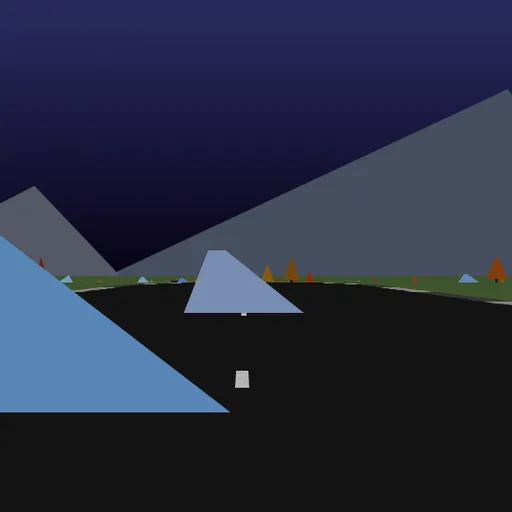
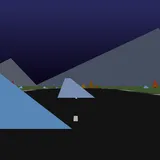
Hue Jumper is a low-poly 3D driving game where the only opponent is the clock. A random road unrolls ahead of you over rolling hills, and your car speeds up on its own while you steer with the mouse. Rocks and trees dot the landscape, and a well-timed double-click sends you flying over them. Frank Force first wrote this game to fit in just 2 kilobytes, and this is his expanded, readable version.
How to Play Hue Jumper
Click the screen and the timer starts at 20 seconds. Your car gains speed whenever its wheels are on the ground and you are not braking. Move the mouse left or right to turn, and lean into each bend, because curves pull the car toward the outside.
Every 100 units on the distance counter in the top right, you cross a checkpoint. It adds 10 seconds to the clock, up to the 20 second limit, and shifts the colors of the whole world to a new hue. When the clock reaches zero, the car stops and the run is over.
Leaving the asphalt slows you down and shakes the camera. Hitting a rock or tree is worse, since it cuts almost all of your speed at once. The road starts wide and gentle, then grows thinner and curvier with each checkpoint until it ends at 1000.
Hue Jumper Controls
| Action | Keyboard | Mouse | Touch |
|---|---|---|---|
| Start driving | — | Click the game screen | Touch the screen |
| Steer | — | Move the mouse left or right | Hold a finger on the side you want to steer toward |
| Brake | — | Hold the mouse button | Lift your finger |
| Jump | — | Double-click | Tap quickly |
| Restart on a new road | R | — | — |
| Save a screenshot | 1 | — | — |
Tips for Longer Runs
- Steering stays where you leave it. The car keeps turning until you move the mouse back toward the middle, so after each bend, ease it back to straighten out.
- Brake only when you must. Each second spent slowing down eats into a clock that is already short. A quick tap before a tight bend is usually enough.
- Jump only from the ground. The double-click jump works only while your wheels are touching the road, so press before you reach an obstacle while the car is still on the road.
- Look at the far road, not the hood. Hills hide what comes next, so watch the horizon line to spot turns before you reach them.
- Restart a bad road. Every run is generated fresh, so if a layout starts badly, press R and try a new one.
Features
- Random roads with new curves, hills and road widths every run.
- Color shifts at each checkpoint that recolor the sky, ground and scenery.
- A sun and moon that circle the sky as your heading changes, lighting the mountains differently.
- Pointer-lock steering that keeps the cursor inside the game while you drive.
Tested and updated: