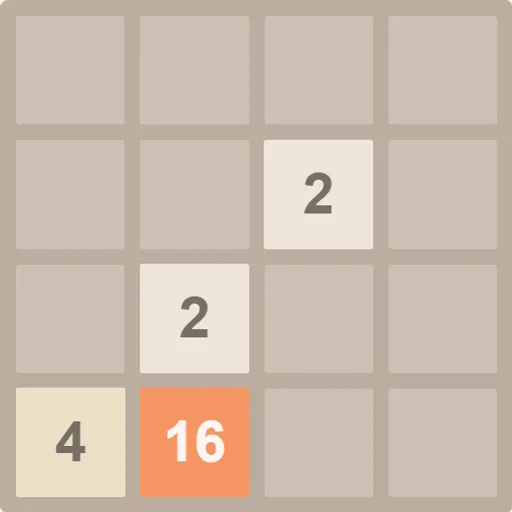
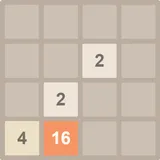
2048 is a calm number puzzle played on a 4x4 board. Every move slides all the tiles at once, and matching numbers join into one bigger tile. Your goal is to keep merging until a tile shows 2048. The idea is simple, but the board fills up fast, so each swipe matters. This is Gabriele Cirulli’s open-source original from 2014, with clean animations and a saved best score.
How to Play 2048
The game starts with two tiles on the board. Each tile is a 2 or a 4. When you pick a direction, every tile slides as far as it can that way. If two tiles with the same number bump into each other, they combine into one tile worth their total.
After each move that changes the board, a new tile appears in a random empty square. Most of the time it is a 2, and now and then it is a 4. Your score goes up by the value of every tile you create through a merge, so making a 64 adds 64 points.
You reach the goal when a 2048 tile appears. You can stop there or keep building larger tiles. The game ends when all sixteen squares are full and no neighbors share a number, which means no move can change the board.
2048 Controls
| Action | Keyboard | Mouse | Touch |
|---|---|---|---|
| Slide all tiles | Arrow keys, W A S D, or H J K L | — | Swipe up, down, left or right |
| Start a new game | R | Click "New Game" | Tap "New Game" |
| Continue after reaching 2048 | — | Click "Keep going" | Tap "Keep going" |
Tips and Strategies
- Pick a home corner. Keep your biggest tile in one corner, such as bottom left, and avoid moves that pull it out.
- Use mostly two or three directions. If your corner is bottom left, lean on Down and Left, use Right when needed, and save Up for emergencies.
- Build a descending row. Line up tiles along the bottom edge in falling order, like 256, 128, 64, 32. One merge can then set off a chain toward the corner.
- Keep the edge row full. A full bottom row cannot shift sideways by surprise, so your big tile stays put.
- Fix small tiles early. A lone 2 trapped between large tiles can block a whole row. Clear it before it gets boxed in.
- Watch where the new tile can land. Before you move, look at which squares will open up. Avoid moves that leave an empty square next to your corner.
Features
- Saved progress: the current board and your best score stay in your browser between visits.
- Keep going mode: after you reach 2048, you can continue toward higher tiles.
- Three keyboard layouts: arrow keys, W A S D, or H J K L all work.
- Swipe support: play on touch screens without any on-screen buttons.
Tested and updated: