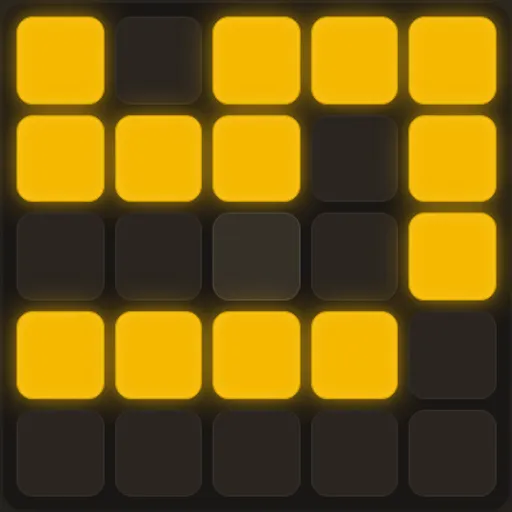
Light Switch Grid is a small logic puzzle on a 5x5 board of glowing amber lights. Every cell is a switch, but pressing one also flips the four cells touching its sides. Your goal is to turn the whole board dark. Because each press changes up to five lights at once, the puzzle is about order and planning, not speed. It comes from Tejas Wavde’s open-source collection of browser games, with a retro terminal look and a built-in help page.
How to Play Light Switch Grid
The board starts with some lights on. When you press a cell, that cell and its neighbors above, below, left and right all switch to the opposite state. Diagonal cells do not change, and cells on an edge simply have fewer neighbors.
The status line counts how many lights are still on, and a move counter tracks every press. When the last light goes out, the game shows how many moves you used. If that is your lowest count at the current level, it becomes your new Best.
Three difficulty levels change how scrambled the board is. Each level opens on a daily board, and “new” gives you a random one. Undo steps back one press at a time, and reset puts the board back to its starting pattern without changing the puzzle.
Light Switch Grid Controls
| Action | Keyboard | Mouse | Touch |
|---|---|---|---|
| Press a cell (flips it and its side neighbors) | — | Click the cell | Tap the cell |
| Take back the last press | — | Click "undo" | Tap "undo" |
| Return to the starting pattern | — | Click "reset" | Tap "reset" |
| Pick a difficulty or roll a random puzzle | — | Click Easy, Medium, Hard or "new" | Tap Easy, Medium, Hard or "new" |
| Open or close the help page | Esc or Q closes it | Click "? man", then the × or outside the box | Tap "? man", then the × or outside the box |
Tips and Strategies
- Chase the lights downward. Clear the top row by pressing the cell directly below each lit cell, then repeat row by row until only the bottom row has lights.
- Read the leftover bottom row. The pattern left on the last row tells you which top-row cells to press first. Press them, then chase down again.
- Never press a cell twice. Two presses on the same cell cancel out, so a repeat only adds to your move count.
- Order does not matter. The end result depends only on which cells you press, not the sequence, so you can plan a full set of presses before you start.
- Use reset instead of many undos. If a chase goes wrong, reset returns the exact starting board in one step, and your move count goes back to zero.
Features
- Daily boards: the first puzzle at each level is tied to the current UTC date.
- Three levels: Easy, Medium and Hard start from 3, 6 or 10 scrambling presses.
- Undo and reset: step back one press or restart the same board.
- Saved best scores: the fewest moves for each level stay in your browser.
- Light and dark look: the colors follow your device’s light or dark setting.
Tested and updated: