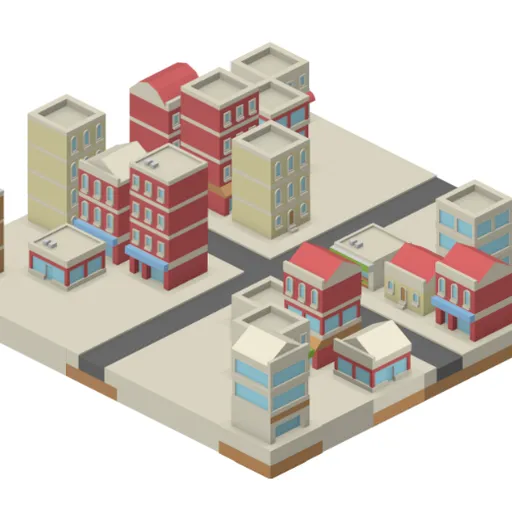
IsoCity is a small sandbox for laying out an isometric town, one tile at a time. You get a 7x7 block of empty ground and a palette of more than seventy hand-drawn pieces: roads, crosswalks, canals, low walls, shops and apartment towers. There is no budget, no traffic and no score, so the only thing to manage is how the town looks. Victor Ribeiro wrote the open-source original, and the clean, colorful tiles come from the free art library of Kenney.
How to Play IsoCity
Pick any piece from the palette on the left, then click a square on the map to drop it there. The piece replaces whatever was on that spot before. With a mouse you can hold the button down and sweep across the map to paint the same piece over many squares, which is handy for long streets.
The palette is sorted into rough groups. Near the top you will find straight roads in two directions, crosswalks, tree-lined streets, a roundabout and crossings. Further down are curves, bends and dead ends, then water channels and the red wall pieces. The last rows hold the buildings, from corner stores to tall glass offices and brick apartments.
If you change your mind, right-click a square to clear it back to flat ground. Nothing is ever locked in, so you can rebuild a whole district in a few seconds.
IsoCity Controls
| Action | Mouse | Touch |
|---|---|---|
| Pick a tile | Click it in the palette (scroll the palette for more) | Tap it in the palette |
| Place the tile | Click a square on the map, or hold the button and drag to paint | Tap a square on the map |
| Clear a square | Right-click it | Pick the plain ground tile (first in the palette) and tap the square |
Tips and Strategies
- Lay the streets first. Buildings are tall and can hide the squares behind them, so mark out your road grid before you fill in the blocks.
- Put towers at the back. Pieces lower on the screen are drawn over the ones behind them, so a tall block near the front edge can hide the shops behind it.
- Match road ends to neighbors. Check the palette picture for which edges a road piece opens on before you place it next to another one.
- Use water as a border. A row of canal tiles makes a neat edge for a park or a waterfront strip of shops.
- Mix heights. Alternate low storefronts with four-story blocks so the skyline does not look like a flat wall.
- Start over fast. Pick the plain ground tile and drag across the map to wipe a whole area in one stroke.
Features
- Over seventy tiles: roads, crossings, canals, walls and many building styles.
- Drag painting: hold the mouse button to fill a row of squares in one motion.
- Hover preview: a shaded diamond shows which square your click will change.
- Saved town: your layout is kept in this browser between visits.
Tested and updated: