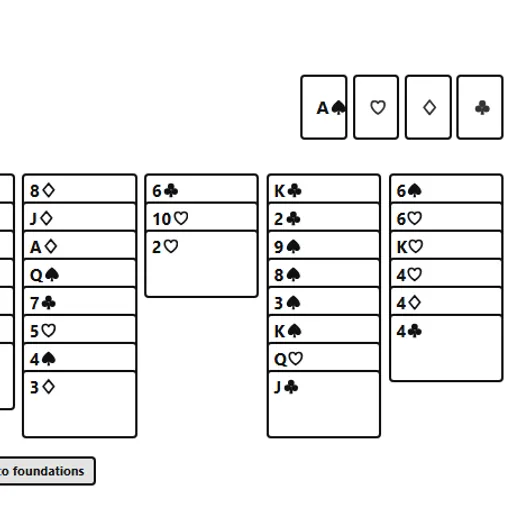
FreeCell Solitaire is the patience game where luck plays almost no part. The whole deck is dealt face up into eight columns, so you can see every card from the first move. Four free cells give you somewhere to park single cards while you untangle the columns. In this FreeCell Solitaire from the PaperGames collection by Christopher Müller, you sort all 52 cards onto four foundations, and a one-tap collect button saves you the busywork at the end.
How to Play FreeCell Solitaire
The shuffle fills the first four columns with seven cards each and the last four with six. In the columns, a card can go onto one that is one rank higher and of the other color, such as a red 9 on a black 10. Any card, or a run that fits the limit, can move into an empty column.
Each free cell holds one card. You can move a card from a column into an open cell and later play it back onto a column or up to a foundation. Free cells are your main tool, but every one you fill makes the next move tighter.
Foundations start with Aces and build up by suit to Kings. Pick the card, then tap the foundation pile of the same suit. A move counter tracks your progress, and the game shows a “Cleared” message when all four Kings are home.
FreeCell Solitaire Controls
| Action | Keyboard | Mouse | Touch |
|---|---|---|---|
| Select a card, run or free-cell card | Tab to the card, then Enter or Space | Click the card | Tap the card |
| Move the selection | Tab to the target, then Enter | Click a column, an empty free cell or the matching foundation | Tap a column, an empty free cell or the matching foundation |
| Send every playable card home | — | Click "Collect to foundations" | Tap "Collect to foundations" |
| Undo | — | Click "Undo" | Tap "Undo" |
| Start a new deal | — | Click "New game" (under "Menu" if hidden) | Tap "New game" (under "Menu" if hidden) |
Tips and Strategies
- Look for the Aces and 2s first. Find where they are buried and plan the shortest way to dig them out.
- Keep free cells empty. Each open cell lets you move a longer run at once, so park cards there only for a clear reason.
- An empty column beats a free cell. It doubles how many cards you can move in one go and can hold a whole run.
- Stack runs that alternate cleanly. A long run of alternating colors can travel as a unit later.
- Press Collect when the board opens up. It clears every card that is ready, so you can focus on the cards still blocked.
Features
- Open layout: all 52 cards are visible from the first move.
- Multi-card moves: runs move as one unit, up to the size your free space allows.
- Collect button: sends all playable cards to the foundations in one step.
- Undo history: step back as far as you need in the current session.
- Resume later: the deal and move count stay saved in your browser.
Tested and updated: