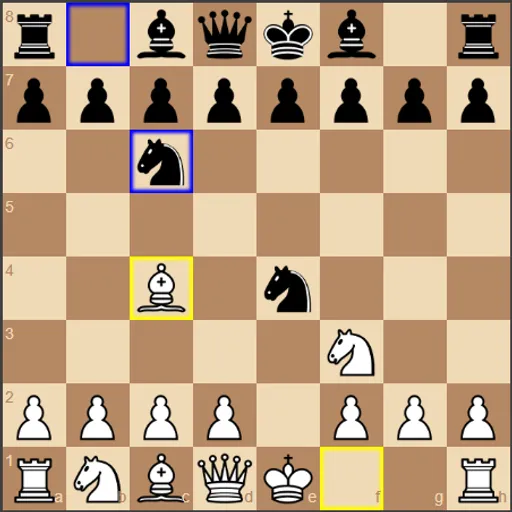
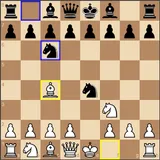
Chess vs Computer puts you behind the white pieces against a small chess engine written in JavaScript. You make a move, the engine thinks for a moment, and Black answers. The goal is the usual one: checkmate the enemy king. What sets this version apart is how open the engine is. It shows how many positions it checked, how long it took, and a bar that tracks which side is ahead after every move.
How to Play Chess vs Computer
All standard chess rules apply, including castling and en passant. You always play White and move first. Drag a piece to a legal square and let go. If the move is not allowed, the piece snaps back. Hover over a piece with a mouse to see its legal squares shaded in grey.
The computer then replies as Black. Your last move gets a yellow outline and its reply gets a blue one, so you can follow the game at a glance. The engine uses a minimax search with alpha-beta pruning and scores positions with piece values and square tables.
The Status line under the score bar tells you when a king is in check. It also reports how the game ended: checkmate, stalemate, threefold repetition, the 50-move rule, or not enough material left to mate. The Advantage bar moves left or right as the material and piece placement change.
Chess vs Computer Controls
| Action | Mouse | Touch |
|---|---|---|
| Move a piece | Drag the piece to its new square | Drag the piece to its new square |
| Preview legal moves | Hover over one of your pieces | — |
| Take back your last move and the reply | Click "Undo" | Tap "Undo" |
| Replay moves you took back | Click "Redo" | Tap "Redo" |
| Change engine depth or turn on hints | Open "Settings" and pick a value or tick the box | Open "Settings" and pick a value or tick the box |
| Load an opening or restart | Open "Opening Positions" and click a button | Open "Opening Positions" and tap a button |
Tips and Strategies
- Start low, then climb. Beat depth 2 a few times before you try 4 or 5. Each step makes the engine slower but far harder to trick.
- Watch the Advantage number. It shows the engine’s own score. If it jumps after your move, you probably left a piece hanging.
- Use the hint as a second opinion. Turn on the suggested move when you are stuck, then decide for yourself whether you agree.
- Practice openings on purpose. The Ruy Lopez, Italian and Sicilian buttons drop you into those lines, so you can study the middle game that follows.
- Use Undo to learn. Undo removes both your move and the reply. Try a different idea and compare how the score bar reacts.
- Remember the auto queen. Since pawns always promote to a queen, check for stalemate traps before you push a pawn to the last rank.
Features
- Adjustable engine: set Black’s search depth from 1 to 5.
- Computer vs. Computer: watch the engine play both sides, with its own depth setting for White.
- Opening positions: Ruy Lopez, Italian Game, Sicilian Defense, or the normal start.
- Search stats: positions evaluated, thinking time and positions per second after each reply.
- Undo and Redo: step back and forward through the game two half-moves at a time.
Tested and updated: