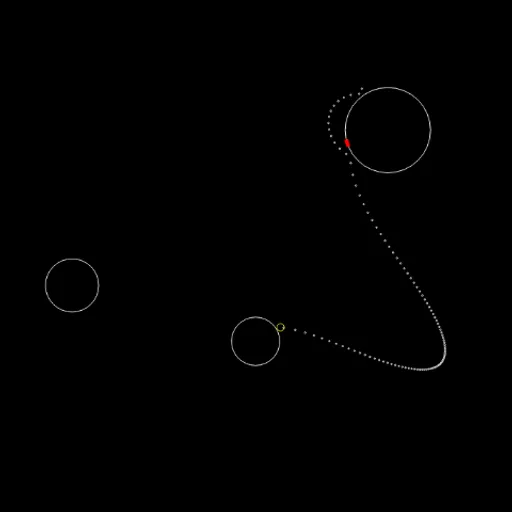
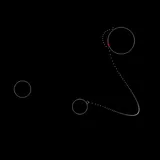
Gravity Golf is a minimalist putting game set in space, made for the 2015 js13k contest. Instead of hills and sand traps, you have planets, and every one of them tugs on the ball. Your job is to land the ball on a small red marker on one planet’s surface in as few strokes as possible. A dotted preview shows the full curve of your shot before you commit, so each hole becomes a puzzle about reading gravity.
How to Play Gravity Golf
Each hole is laid out at random. The first one has three planets, and every hole after that adds one more. The ball appears somewhere in open space and drifts until it settles on a planet. When its outline turns yellow, it is ready to hit.
Press and hold anywhere on the playing field, then move the pointer in the direction you want to send the ball. The distance between the pointer and the ball sets the power. While you hold, a line of dots shows the predicted path. Release to shoot, and the stroke counter in the corner goes up by one.
Bigger planets pull harder. The ball loses some speed on every bounce and stops once it is moving slowly. If it touches the red marker at any point, even mid-bounce, you win the hole. Your stroke count is shown for a moment, and then a new layout loads with one extra planet and the counter back at zero.
Gravity Golf Controls
| Action | Mouse | Touch |
|---|---|---|
| Aim and set power | Press and hold, then move toward where the ball should go; farther from the ball is harder | Touch and drag the same way |
| Take the shot | Release the button | Lift your finger |
Tips and Strategies
- Trust the dots, then adjust. Hold the button and sweep the pointer in a slow circle before you release. Small moves can swing the path from a miss to a hit.
- Use bounces on purpose. The preview includes bounces, so a soft shot that skips off a nearby planet and rolls onto the marker is often easier than a long direct flight.
- Short shots are safer. A gentle hit that settles on a planet closer to the marker sets up an easy finish. A hard shot can slingshot around a large planet in a way that is hard to predict.
- Watch the large planets. Their pull bends paths the most. Aim so the ball passes on the side that curves it toward the hole.
- Look for the marker’s side. The red mark sits on one spot of its planet. Plan a path that arrives on that side rather than landing on the far side and rolling.
Features
- Full path preview: see the whole curve, including bounces, before every shot.
- Growing challenge: every finished hole adds one more planet to the next layout.
- Random layouts: planet sizes, positions and the hole location change each time.
- Mouse or touch: drag to aim on a computer, tablet or phone.
Tested and updated: