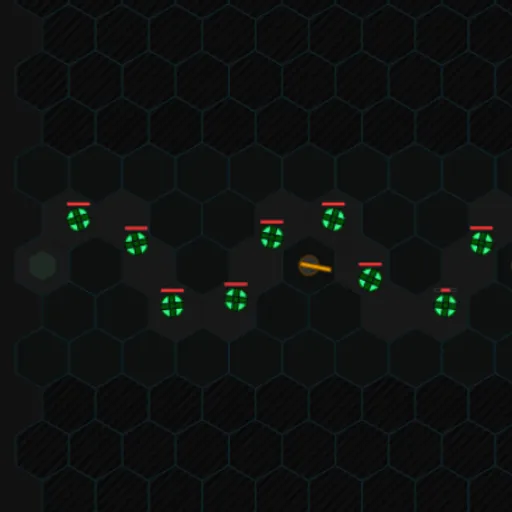
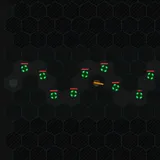
Hex Formation is a compact tower defense game played on a grid of hexagons. Spinning green enemies roll out of a start cell and follow a winding gray path toward the exit. You build turrets beside that path to stop them. With only ten lives, three tower types and ten waves, every placement counts. The six-sided cells give each spot up to six neighbors, which changes how far a single turret can reach along a twisting route.
How to Play Hex Formation
Pick one of three maps: alternating, zig-zag or loopback. You begin with 100 cash and 10 lives. Choose a tower in the side panel, then click any solid dark cell next to the path to build it. Press Start Game, and enemies roll out two per second.
Each destroyed enemy pays cash equal to twice its starting health. Every enemy that reaches the exit costs one life, and losing all ten ends the run. Once a wave is cleared, the next one starts on its own. When all of a wave has entered the map, you can also press Next Wave to send the following group early.
Enemy health climbs from 3 in the first wave to 40 in the tenth, and the current value shows in the bottom corner. Survive all ten waves to win and get a score based on lives left, enemies destroyed and unspent cash.
Hex Formation Controls
| Action | Mouse | Touch |
|---|---|---|
| Choose a tower type to build | Click Standard, Rapid Fire or Laser Beam in the side panel | Tap a tower type in the side panel |
| Build the chosen tower | Click an empty dark hexagon next to the path | Tap an empty dark hexagon |
| Select a built tower (shows its range) | Click the tower | Tap the tower |
| Upgrade or sell the selected tower | Click "Upgrade" or "Sell" | Tap "Upgrade" or "Sell" |
| Start the first wave, or call the next one early | Click "Start Game", then "Next Wave" | Tap "Start Game", then "Next Wave" |
| Pause, resume or quit | Click "Pause", "Resume" or "End Game" | Tap the same buttons |
Tips and Strategies
- Cover bends, not straight lines. A turret placed where the path doubles back can reach two or three stretches of road at once.
- Spend the opening cash on two Standard towers. At 50 each, they are the only way to have two guns in place before the first wave.
- Save up for a Laser Beam. It costs 120 but has the longest range and never misses, since it locks a steady beam onto one target.
- Use Rapid Fire up close. Its range is short, so put it right on a tight corner where enemies stay in reach for longer.
- Upgrade before you spread out. Each level raises both damage and range, and the dots on a tower show its level at a glance.
Features
- Three hand-built maps with different path shapes, each with its own saved best score.
- Three tower types with distinct attacks: slow single shots, a fast stream of small shots, or a continuous laser.
- Upgrade and sell options showing damage, upgrade cost and sell value for the selected tower.
- Pause and resume at any point, plus an End Game button with a confirmation step.
Tested and updated: