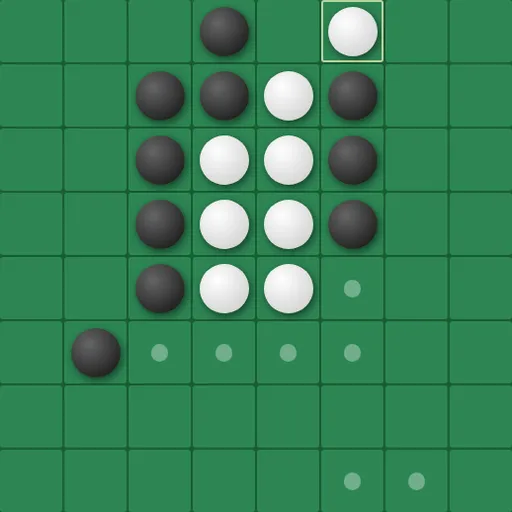
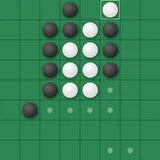
Universal Reversi is a disc-flipping board game where the board wraps around on every side. You place black or white discs to trap your opponent’s pieces in straight lines and turn them to your color. The twist is that a line running off one edge comes back on the opposite edge, so corners and borders no longer give anyone a safe spot. Norbert Nopper built it as a single web page with five computer levels and three board sizes.
How to Play Universal Reversi
Each game starts with four discs in the middle, two of each color set diagonally. On your turn you must place a disc so that one or more enemy discs sit in an unbroken line between your new disc and another of yours. Every trapped disc flips. Lines count in all eight directions, including diagonals, and they can continue across an edge.
Small dots show where you are allowed to play. If you have no legal move, your turn is skipped and your opponent goes again. When neither side can move, the game ends and the player with more discs wins. Equal counts give a tie.
By default you play Black against the computer, Black moves first, and the board is 8x8. You can also play another person on the same device, let the computer take Black, or watch two computer players face each other.
Universal Reversi Controls
| Action | Keyboard | Mouse | Touch |
|---|---|---|---|
| Place a disc | — | Click a cell marked with a dot | Tap a cell marked with a dot |
| Shift the view of the board | Arrow keys | Click the PAN arrow buttons | Tap the PAN arrow buttons |
| Start a new game and apply settings | — | Click "Reset Game" | Tap "Reset Game" |
| Change players, board size or difficulty | — | Use the Game Settings panel, then reset | Use the Game Settings panel, then reset |
Tips and Strategies
- Forget about safe corners. Since the board wraps, a disc in a corner can still be flanked through the far edges. Check all eight lines, including the ones that cross a border.
- Pan the view to read wrapped lines. Shift the board with the arrow keys or the PAN buttons so a line that crosses an edge sits in one piece on screen.
- Count moves, not discs. Early on, having more choices than your opponent usually matters more than having more discs.
- Watch the move dots for both sides. The dots stay visible while the computer is thinking, which shows you its options before it picks one.
- Slow the computer down to learn. Raise the AI response delay toward 2 seconds so you can follow which discs flip after each of its moves.
Features
- Wrap-around board in 6x6, 8x8 or 10x10 sizes.
- Four player setups: two people, you against the computer as either color, or computer against computer.
- Five difficulty levels from Very Easy to Extra Hard.
- Adjustable pace: a delay slider from 0.02 to 2 seconds for computer moves.
- Options for comfort: move dots, flip animations and a high-contrast accessibility mode can each be turned on or off.
Tested and updated: