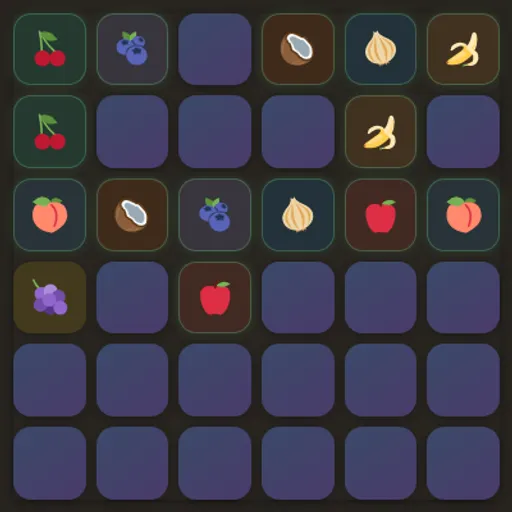

Memory Pairs is a card-matching game with a calm, dark look and a choice of three board sizes. Every card hides a food picture, such as a pear, a croissant or a chili, and each picture appears on exactly two cards. You flip two at a time and try to remember what you have already seen. It is part of Tejas Wavde’s open-source collection of small browser games, and it tracks both your moves and your time.
How to Play Memory Pairs
All cards start face down. Choose one card to flip it, then choose a second. If both show the same picture, they stay face up with a colored tint and a green outline. If they differ, both turn back over after a short pause, and you cannot flip anything else until they do.
Each pair of flips counts as one move, whether it matches or not. The clock starts on your first flip. When every pair on the board is face up, the round ends and a message shows your total moves and seconds.
Pick 4×4, 6×6 or 8×8 from the menu below the board. Changing the size starts a fresh, shuffled board right away, and “New game” reshuffles the size you are on. Your fastest time for each size is shown next to the clock as your best.
Memory Pairs Controls
| Action | Keyboard | Mouse | Touch |
|---|---|---|---|
| Flip a card | Tab to a card, then Enter or Space | Click a card | Tap a card |
| Start a new shuffled board | — | Click "New game" | Tap "New game" |
| Change the board size | — | Pick 4×4, 6×6 or 8×8 from the menu | Pick 4×4, 6×6 or 8×8 from the menu |
| Open or close the help window | Esc or Q closes it | Click "? man" to open, click outside to close | Tap "? man" to open, tap outside to close |
Tips and Strategies
- Open with unknown cards. Early on, flip cards you have never seen. Each one adds to what you know.
- Sweep in rows. Working across the board in order makes positions easier to recall than random jumps.
- Flip the known card second. If your first flip shows a picture you have seen before, go straight to its partner.
- Use the tint. Each pair has its own background color, which can help you place a picture you only saw for a moment.
- Shrink your target first. On 8×8, clear the pairs you are sure of before guessing, so fewer cards stay in play.
- Trade speed for moves on purpose. Racing the clock and keeping a low move count pull in different directions, so choose one goal per round.
Features
- Three board sizes: 8, 18 or 32 pairs per round.
- Move counter and timer: see how efficient and how fast each round was.
- Best time per size: saved in your browser between visits.
- Built-in help window: a short rules page opens on your first visit and stays one click away.
- Keyboard support: move between cards with Tab and flip them with Enter or Space.
Tested and updated: