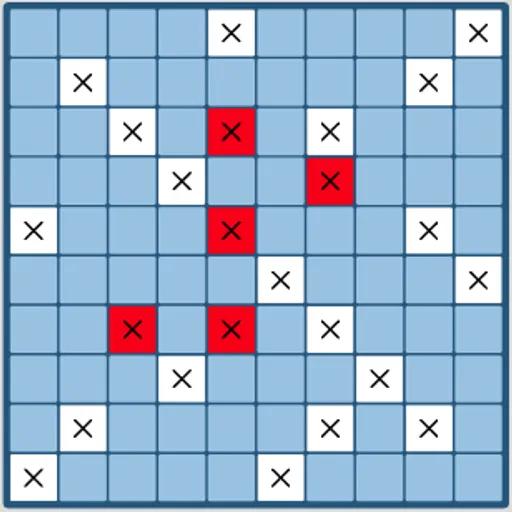
Fleet Strike is a naval guessing game for one player against the computer. You hide five ships on your own 10x10 grid, then take turns firing at hidden squares on the enemy grid. The first side to sink every ship in the other fleet wins. The computer here does not guess at random. It keeps a running estimate of where your ships could still be and fires at the squares with the best odds, which makes it a tough opponent.
How to Play Fleet Strike
Before the battle starts, place your fleet on the grid labeled Your Fleet. Pick a ship from the list on the left, choose its direction with Rotate Ship, and click a square to set it down. Ships cannot overlap or hang off the edge. When all five are in place, press Start Game.
Now fire by clicking any square on the Enemy Fleet grid. A white square with an X is a miss, and a red one is a hit. When every square of a ship has been hit, that ship is sunk. Right after each of your shots, the computer fires once at your grid, and you can watch its hits and misses appear.
The game ends when one fleet is completely sunk. A message tells you whether you won, and a Restart Game button sets up a new round with fresh enemy positions.
Fleet Strike Controls
| Action | Mouse | Touch |
|---|---|---|
| Pick a ship to place | Click its name in the Place Your Ships list | Tap its name in the list |
| Turn the ship before placing it | Click "Rotate Ship" | Tap "Rotate Ship" |
| Place the ship | Click a square on Your Fleet (a preview shows on hover) | Tap a square on Your Fleet |
| Fire a shot | Click a square on Enemy Fleet | Tap a square on Enemy Fleet |
| Play again after a game ends | Click "Restart Game" | Tap "Restart Game" |
Tips and Strategies
- Search in a checkerboard pattern. Your smallest enemy ship is 2 squares long, so firing at every other square still covers the whole grid with half the shots.
- Finish what you hit. After a hit, try the four neighbors, then follow the line once you find a second hit.
- Think twice about corners. The computer’s opening pattern gives extra weight to two opposite corners and the squares beside the other two, so a ship tucked into a corner can be found early.
- Spread your ships out. Ships that touch let one lucky streak of hits sink two at once. Leave gaps between them.
- Mix directions. Placing all ships the same way creates a pattern that is easier to read once a few are found.
Features
- Probability-based computer player that targets the most likely squares instead of firing at random.
- Five-ship fleets with ships from 2 to 5 squares long on both sides.
- Placement preview that shows where a ship will sit before you click.
- Saved stats for games won and shot accuracy, with a reset button.
Tested and updated: