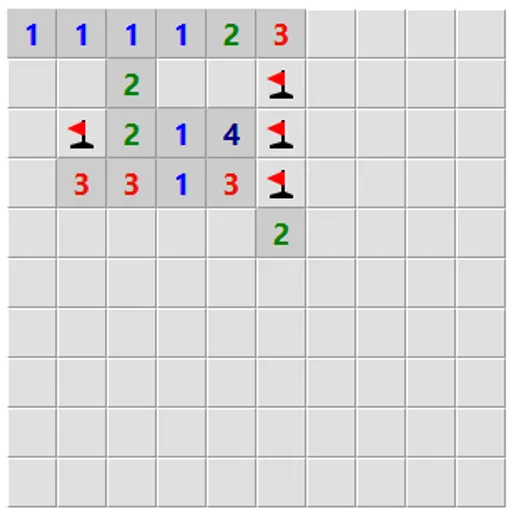
Logic Mines is a mine-clearing puzzle on a square grid with one unusual twist. The mines are not hidden at the start. A built-in logic solver decides where they go as you play, and it picks the worst outcome for any risky click. It cuts both ways, though. When the board leaves you no safe move, your guess is sure to work, so every loss comes from a missed deduction.
How to Play Logic Mines
Each revealed square shows how many of its eight neighbors hold a mine. Your goal is to uncover every square that is not a mine.
Your first click is always safe. After that, read the numbers. If the numbers prove that a square is empty, open it. If you click a square that only might be empty while a proven safe square exists elsewhere, the solver turns it into a mine and the round ends. When no proven safe square exists anywhere along the edge of the open area, any edge square that could be empty is treated as empty.
You win when only mines remain covered. After a loss, the Undo button lets you take back the fatal move and keep going. Below the board you can set the width, height and mine count, or use the Easy, Medium, Hard and Expert presets before you press New game.
Logic Mines Controls
| Action | Mouse | Touch |
|---|---|---|
| Reveal a square | Left-click | Tap |
| Cycle flag, question mark, blank | Right-click | Press and hold for half a second |
| Open all neighbors of a number whose mines are flagged | Double-click or middle-click the number | — |
| Reveal a square in safe mode | Double-click | — |
| Start a new board | Click "New game" | Tap "New game" |
Tips and Strategies
- Look for a safe square before you guess. A risky click only works when there is truly nothing safe left, so scan the whole edge first.
- Flag certain mines right away. Flags make the double-click shortcut work.
- Use the hint button when stuck. It tells you whether safe squares exist, whether you must guess, or whether one of your flags is wrong.
- Try countdown mode on busy boards. Each number then shows how many unflagged mines remain around it, which turns many patterns into simple zeros.
- Turn on safe mode for small screens. Opening a square then needs a double-click, so a stray tap cannot end the round.
- Study the markers after a loss. The dots and exclamation marks show exactly which square you could have proven.
Features
- Adaptive mines: a SAT solver places mines during play, so no board ever needs a coin flip.
- Custom boards: grids up to 30 by 30 with any mine count that fits.
- Hint button and undo: get a nudge, or step back after a mistake.
- Optional rules: debug view, countdown numbers, safe mode, and guessing anywhere on the board.
- Touch support: tap to open and press and hold to flag.
Tested and updated: