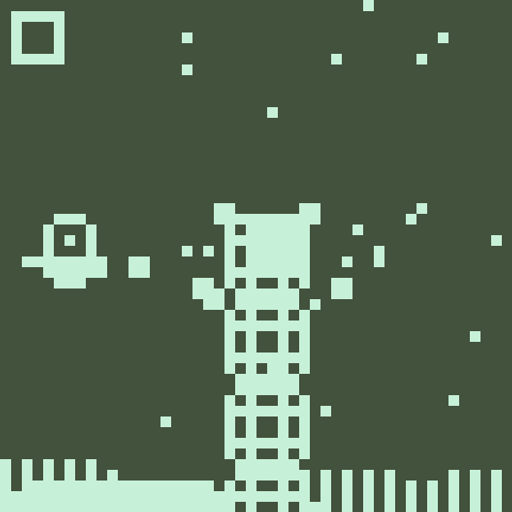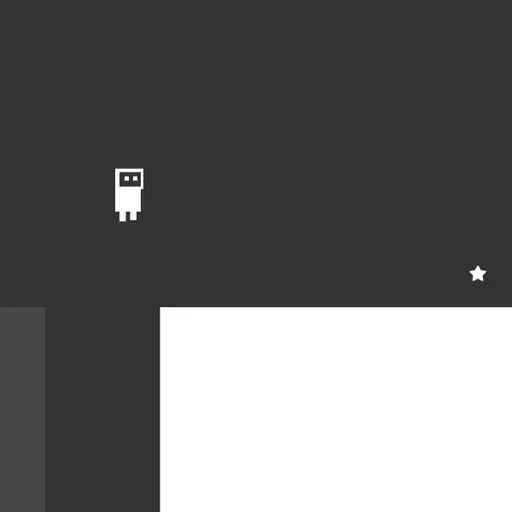
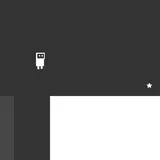
OnOff is a two-color puzzle platformer about a small robot and a world split into two layers. Some platforms belong to the dark layer and some to the light one, and only one layer is solid at a time. You press a single key to flip between them, often in the middle of a jump. Daniel Marino and Brad Dunbar built OnOff for the js13k contest in 2018 with crisp SVG graphics and a cheerful soundtrack.
How to Play OnOff
Each screen has a star somewhere on it. Walk and jump your robot to the star to clear the level, and the next one loads right away. There are 25 levels, and a “congrats” screen waits after the last one.
The twist is the layer switch. Blocks of the active layer are solid, while the other layer shows as a faint outline you can pass through. Press Space and the roles swap. A gap you cannot jump might have a platform waiting on the other layer, and a wall in your way might vanish after a flip.
Your robot breaks apart if it falls off the bottom of the screen, touches spikes on the active layer, or sits inside a block that turns solid after a switch. A short burst animation plays and you restart the current level. There is no limit on attempts, and a counter in the corner keeps track of every fall.
OnOff Controls
| Action | Keyboard | Mouse |
|---|---|---|
| Move left or right | A / D or Left / Right arrows | — |
| Jump | W or Up arrow | — |
| Switch platform layer | Space | — |
| Pick a menu item | Up / Down arrows, then Enter | — |
| Leave a custom level | Escape | — |
| Place and edit pieces in the editor | P adds a platform, S + U/D/L/R adds spikes, G tests the level | Drag to move or resize, double-click to change layer, Shift + click to delete |
Tips and Strategies
- Flip at the top of the jump. Switching while you are in the air is safe as long as nothing appears where you are. Jump first, then press Space.
- Read both layers before moving. The faint shapes are the other layer. Plan your route through both sets of platforms before you take the first step.
- Drop through floors on purpose. Some levels stack floors from both layers. Flip to let the current floor vanish, then flip again to land on the one below.
- Spikes follow the layers too. Spikes on the inactive layer are harmless, so a flip can turn a deadly strip into safe ground.
- Jump near the edge. Your jump is short and fixed in height. Start it close to the drop to cover the widest gaps.
Features
- 25 handmade levels that move from simple jumps to layered puzzles with spikes.
- Level editor on the title menu, with a built-in help panel, so you can sketch a stage and play it at once.
- Gamepad support alongside keyboard play.
- Level and death counters shown at the top of the screen.
- Original music and sound effects that change when you reach the final screen.
Tested and updated: